On this page
Comparing against git and past versions
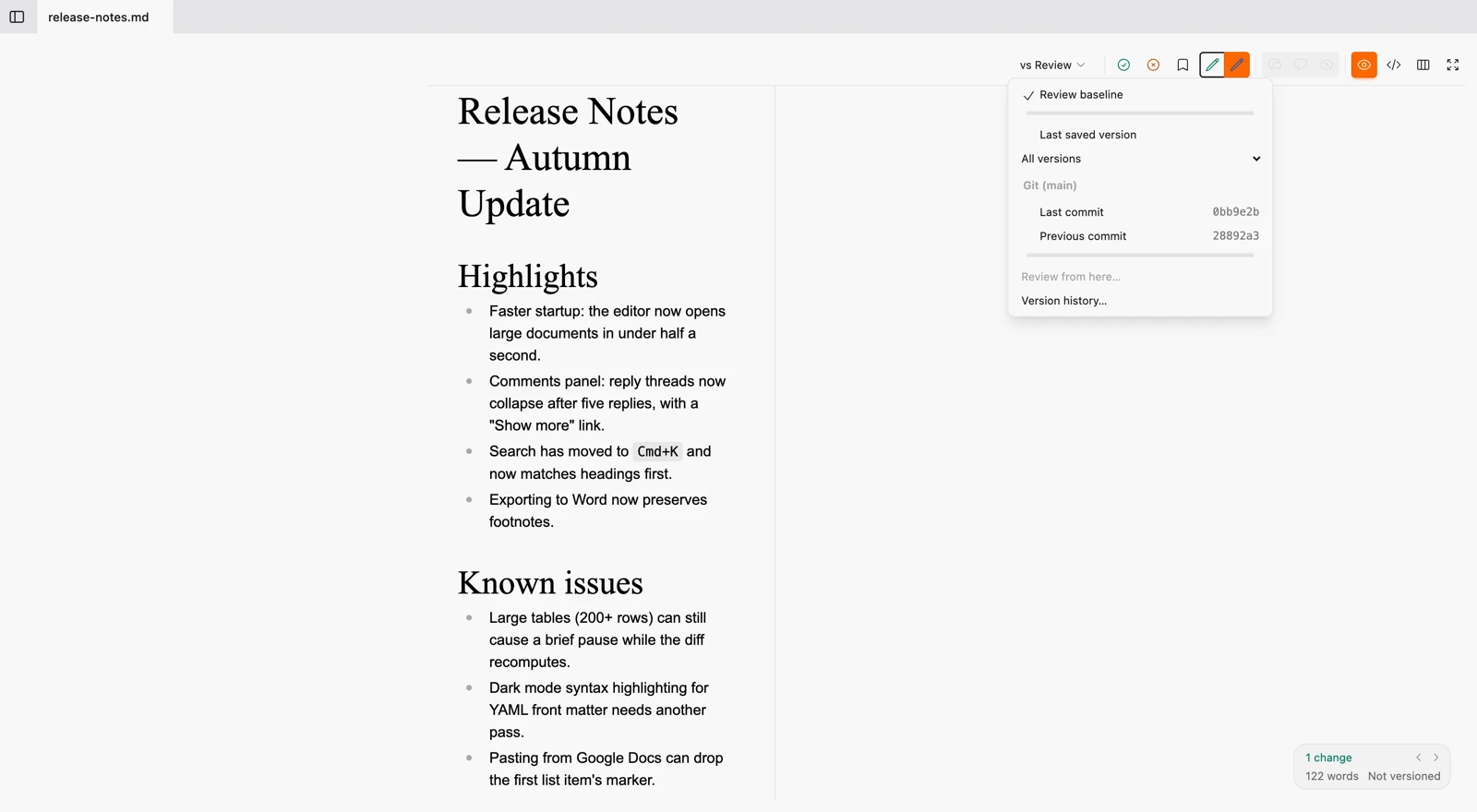
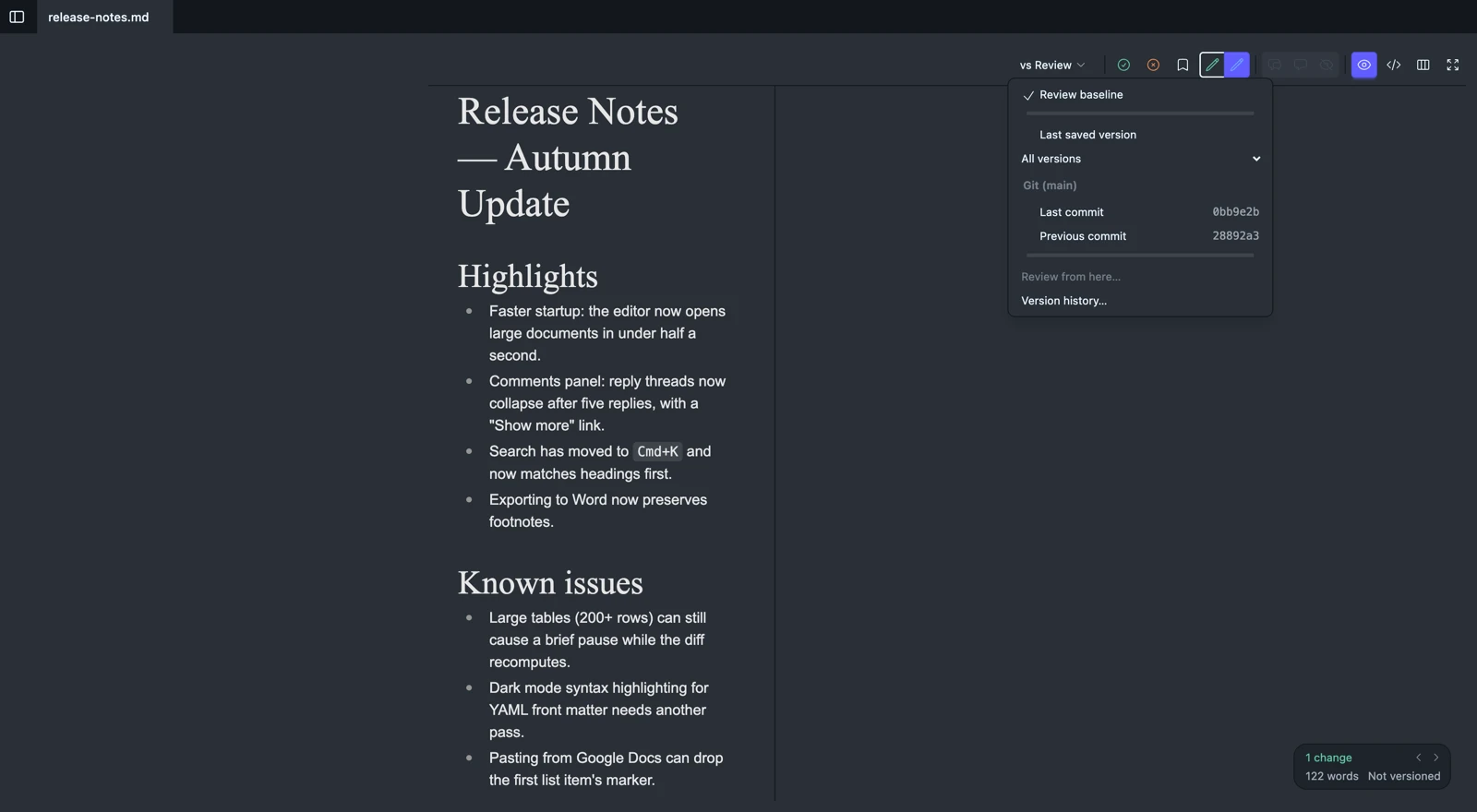
Review is always measured against something – the baseline, by default. The vs … menu on the editor ribbon lets you point that measurement at anything else: a commit, a saved version, or an anchor you’ve since moved past. Everything the menu offers besides the review itself is a read-only overlay – cards to read and navigate, no accept or reject, because there is no baseline there to move.
What’s in the menu
- Review baseline – the accept/reject diff, exactly as described on the review page. Once the baseline has been seeded from somewhere else, this row says so (“a1b2c3, main since branching”).
- Previous baselines – up to three anchors a review was recently pointed away from, for one click back. Appears only once one exists (see below).
- Last saved version / All versions – the most recent version, and a flyout of every version you’ve saved, named ones first.
- Git, headed by the branch name, appears only inside a git repository:
- Last commit – what is uncommitted, on the live document.
- Previous commit – the commit before the last one that touched this document (not simply the commit before HEAD, which may hold identical bytes for this file).
<base>, since branching – what this branch has changed, the same three-dot diff GitHub shows on a pull request.<base>, now – the base branch’s tip against its tip, right now. The base branch is detected automatically and can be overridden per repository from the Versions panel.
- Review from here… – makes what you’re looking at the review (more below). Greyed out while you already are.
- Version history… – opens the fuller picture for anything the menu doesn’t list.
While an overlay is showing, a small x joins the right edge of the vs … button: one click back to the review baseline, without opening the menu.
Reading an overlay
Under any reference but the review, the controls stay exactly where they are – disabled and dimmed rather than hidden, because the shape of a change should never depend on what it’s measured against. Only its actionability does, and it does for a reason worth seeing:
- Accept is disabled. Accepting moves the baseline toward the document, and a commit or a saved version cannot move. Its tooltip names the way around this: Review from here.
- The x is live, and restores. Rejecting moves the document toward the reference – which is an edit you could make by hand, so Wymark just makes it for you. Clicking it rewrites that region to match what the reference held there. It is one undo step, like typing.
Compared against a commit or a branch, the Formatted view also says who: a line on each change’s card, or beside the text where an insertion has no card, names the author of that change, the short commit hash and the day, straight from git, with + uncommitted where part of it is not committed yet. A card for removed text names who removed it. The line is absent where git has no answer, as against a saved version. The review itself never says who, and neither does the Source view.
A comparison shows what differs, not what you decided
Accepting a change in the review absorbs it into the baseline, the way track changes does – the diff closes there and moves on. Point the same document at an older reference and that change is back on screen, like any other difference: the reference predates it. A comparison always shows the reference’s true diff. What you have accepted or rejected belongs to the review, and lives in its baseline, its versions and its undo history.
Previous baselines
Review from here replaces the baseline in place: the document doesn’t change, only what it’s measured against does, and accept/reject light up on the new diff exactly as before. With a review already pending it asks first, since it’s about to move something; with nothing pending it just happens, the same as Save version, because there’s nothing yet to lose.
Undo deliberately does not walk back past that move – undoing it would revert your edits and your anchor together, which is rarely what either half of that means. Instead, the anchor you left is saved as an ordinary version labelled Was baseline, and the three most recent such anchors are one click away under Previous baselines. Re-seeding from one of them means “continue where I left off” – accepted changes stay accepted; re-seeding from the original commit means “review again from the start.”
Using git
The baseline plays the role of HEAD in the review itself, and Review from here is git reset --soft to whatever you picked – your working tree (the file) is untouched either way. It is not a commit: nothing is written to .git, and undo does not treat it like one, which is why it gets its own breadcrumb (Was baseline) instead of quietly becoming invisible history.
The git plane is read-only and optional
Wymark never writes to .git, the index, or the working tree. Commit, stage, branch, and push stay in your own git tools – including switching branches, which rewrites the files Wymark has open and belongs where you can see what it did. Outside a repository, none of this appears – the vs … menu simply has no Git section, and nothing else changes.
When the file goes away
Switch to a branch that does not have the file, or delete or move it in Finder, and the document stays open and stays writable. The status chip reads File missing and the tab wears a small dot, the same dot an unsaved draft wears. Wymark does not write the file back, because a file re-created there would block the checkout back. It keeps your typing itself, and closing the tab or quitting does not lose it.
When the file returns, Wymark notices within a couple of seconds. If it holds what you last wrote, your text lands on it. If the branch brought changes of its own, the two are merged, and your text is saved first as a version tagged Pre-merge. To stop waiting, right-click the tab: Save as… moves the document to a path you choose, with its versions, review and comments (its pictures folder stays where it was), and Recreate the file here puts it back where it was.
Inside one, the Files panel names the branch you are on, under the folder’s name, and follows it: switch branch in a terminal and the label follows within a moment. A repository with no commits yet still names its branch, and a detached HEAD says so rather than going blank.
That label answers for the folder you have open, while the vs … menu’s Git section answers for the document you are editing – normally the same repository, but not when a tab comes from another checkout, a worktree, or a submodule. The menu always names its own repository beside the branch, so two different branch names on screen are never a mystery.
You can open a folder at any depth inside a repository, and git is detected from there just the same. When the folder you opened is not the repository’s root, the panel names the repository beside the branch; hovering either always tells you which repository it is and where in it you are.
Inside one, the Versions panel gains a Git filter alongside All and Named: every commit in the current branch’s history of this file (renames followed), newest marked HEAD, the branch point from the base branch badged, plus one row per other branch whose copy of the file differs. From there a commit can be previewed, compared, restored (with the usual automatic Pre-restore checkpoint), reopened as a fresh review copy, or pointed at with Review from here – the same verbs a version gets.
A few states are worth knowing by name rather than mistaking for a bug: no git installed (and on macOS, no Command Line Tools); a repository git itself refuses to open, most often “dubious ownership”; a file with no commits yet. And a moved file’s git history follows the rename once it’s committed, no sooner – Wymark’s own history for that file follows on the same schedule, so the two never disagree about when a file “became” the renamed one.
Where the conversation lives
Wymark comments are markers stored in the file itself, so they travel with a commit – but they render in Wymark, not on GitHub, and a teammate needs Wymark open to reply to one. The intended split, on a team that already reviews on GitHub: Wymark is where the prose gets edited – per-hunk accept and reject, your own rewrite refining an incoming draft – and the pull request stays where the discussion happens. That’s a real boundary, not a limitation waiting to be lifted.
# Comparing against git and past versions

[Review](/docs/concepts/review) is always measured against something -- the baseline, by default. The `vs …` menu on the editor ribbon lets you point that measurement at anything else: a commit, a saved version, or an anchor you've since moved past. Everything the menu offers besides the review itself is a **read-only overlay** -- cards to read and navigate, no accept or reject, because there is no baseline there to move.

<figure class="docs-shot">
  <img class="docs-shot-light" src="/images/compare-menu-light.webp"
       alt="The vs menu open on a Wymark document, showing Review baseline (checked),
            Last saved version, All versions, a Git section headed by a branch icon and the branch name, listing Last commit and
            Previous commit each with their short hash, Review from here, and Version history.">
  <img class="docs-shot-dark" src="/images/compare-menu-dark.webp"
       alt="The same menu in dark mode.">
  <figcaption>The vs menu: everything your document can be measured against.</figcaption>
</figure>

## What's in the menu

- **Review baseline** -- the accept/reject diff, exactly as described on the [review page](/docs/concepts/review). Once the baseline has been seeded from somewhere else, this row says so ("a1b2c3, main since branching").
- **Previous baselines** -- up to three anchors a review was recently pointed away from, for one click back. Appears only once one exists (see below).
- **Last saved version** / **All versions** -- the most recent version, and a flyout of every version you've saved, named ones first.
- **Git**, headed by the branch name, appears only inside a git repository:
  - **Last commit** -- what is uncommitted, on the live document.
  - **Previous commit** -- the commit before the last one that touched *this document* (not simply the commit before HEAD, which may hold identical bytes for this file).
  - **`<base>`, since branching** -- what this branch has changed, the same three-dot diff GitHub shows on a pull request.
  - **`<base>`, now** -- the base branch's tip against its tip, right now. The base branch is detected automatically and can be overridden per repository from the Versions panel.
- **Review from here…** -- makes what you're looking at the review (more below). Greyed out while you already are.
- **Version history…** -- opens the fuller picture for anything the menu doesn't list.

While an overlay is showing, a small x joins the right edge of the `vs …` button: one click back to the review baseline, without opening the menu.

## Reading an overlay

Under any reference but the review, the controls stay exactly where they are -- disabled and dimmed rather than hidden, because the *shape* of a change should never depend on what it's measured against. Only its actionability does, and it does for a reason worth seeing:

- **Accept is disabled.** Accepting moves the baseline toward the document, and a commit or a saved version cannot move. Its tooltip names the way around this: **Review from here**.
- **The x is live, and restores.** Rejecting moves the *document* toward the reference -- which is an edit you could make by hand, so Wymark just makes it for you. Clicking it rewrites that region to match what the reference held there. It is one undo step, like typing.

Compared against a commit or a branch, the Formatted view also says who: a line on each change's card, or beside the text where an insertion has no card, names the author of that change, the short commit hash and the day, straight from git, with `+ uncommitted` where part of it is not committed yet. A card for removed text names who removed it. The line is absent where git has no answer, as against a saved version. The review itself never says who, and neither does the Source view.

## A comparison shows what differs, not what you decided

Accepting a change in the review absorbs it into the baseline, the way track changes does -- the diff closes there and moves on. Point the same document at an older reference and that change is back on screen, like any other difference: the reference predates it. A comparison always shows the reference's true diff. What you have accepted or rejected belongs to the review, and lives in its baseline, its [versions](/docs/concepts/review#versions) and its undo history.

## Previous baselines

**Review from here** replaces the baseline in place: the document doesn't change, only what it's measured against does, and accept/reject light up on the new diff exactly as before. With a review already pending it asks first, since it's about to move something; with nothing pending it just happens, the same as Save version, because there's nothing yet to lose.

Undo deliberately does not walk back past that move -- undoing it would revert your edits *and* your anchor together, which is rarely what either half of that means. Instead, the anchor you left is saved as an ordinary version labelled **Was baseline**, and the three most recent such anchors are one click away under Previous baselines. Re-seeding from one of them means "continue where I left off" -- accepted changes stay accepted; re-seeding from the original commit means "review again from the start."

:::persona git
The baseline plays the role of `HEAD` in the review itself, and Review from here is `git reset --soft` to whatever you picked -- your working tree (the file) is untouched either way. It is not a commit: nothing is written to `.git`, and undo does not treat it like one, which is why it gets its own breadcrumb (Was baseline) instead of quietly becoming invisible history.
:::

## The git plane is read-only and optional

Wymark never writes to `.git`, the index, or the working tree. Commit, stage, branch, and push stay in your own git tools -- including switching branches, which rewrites the files Wymark has open and belongs where you can see what it did. Outside a repository, none of this appears -- the `vs …` menu simply has no Git section, and nothing else changes.

### When the file goes away

Switch to a branch that does not have the file, or delete or move it in Finder, and the document stays open and stays writable. The status chip reads `File missing` and the tab wears a small dot, the same dot an unsaved draft wears. Wymark does not write the file back, because a file re-created there would block the checkout back. It keeps your typing itself, and closing the tab or quitting does not lose it.

When the file returns, Wymark notices within a couple of seconds. If it holds what you last wrote, your text lands on it. If the branch brought changes of its own, the two are merged, and your text is saved first as a version tagged **Pre-merge**. To stop waiting, right-click the tab: **Save as…** moves the document to a path you choose, with its versions, review and comments (its pictures folder stays where it was), and **Recreate the file here** puts it back where it was.

Inside one, the Files panel names the branch you are on, under the folder's name, and follows it: switch branch in a terminal and the label follows within a moment. A repository with no commits yet still names its branch, and a detached HEAD says so rather than going blank.

That label answers for the **folder** you have open, while the `vs …` menu's Git section answers for the **document** you are editing -- normally the same repository, but not when a tab comes from another checkout, a worktree, or a submodule. The menu always names its own repository beside the branch, so two different branch names on screen are never a mystery.

You can open a folder at any depth inside a repository, and git is detected from there just the same. When the folder you opened is *not* the repository's root, the panel names the repository beside the branch; hovering either always tells you which repository it is and where in it you are.

Inside one, the Versions panel gains a **Git** filter alongside **All** and **Named**: every commit in the current branch's history of *this file* (renames followed), newest marked HEAD, the branch point from the base branch badged, plus one row per other branch whose copy of the file differs. From there a commit can be previewed, compared, restored (with the usual automatic Pre-restore checkpoint), reopened as a fresh review copy, or pointed at with Review from here -- the same verbs a version gets.

A few states are worth knowing by name rather than mistaking for a bug: no git installed (and on macOS, no Command Line Tools); a repository git itself refuses to open, most often "dubious ownership"; a file with no commits yet. And a moved file's git history follows the rename once it's committed, no sooner -- Wymark's own history for that file follows on the same schedule, so the two never disagree about when a file "became" the renamed one.

## Where the conversation lives

Wymark comments are markers stored in the file itself, so they travel with a commit -- but they render in Wymark, not on GitHub, and a teammate needs Wymark open to reply to one. The intended split, on a team that already reviews on GitHub: Wymark is where the *prose* gets edited -- per-hunk accept and reject, your own rewrite refining an incoming draft -- and the pull request stays where the discussion happens. That's a real boundary, not a limitation waiting to be lifted.