On this page
Getting started
Wymark is a Mac (and soon Windows) app that edits the markdown files you already have, where they are. Nothing is imported, copied or converted.
Requirements
- macOS 26 or later, on an Apple Silicon Mac. There is no Intel build.
- No account, no sign-in, no network connection.
Install
Download the disk image from the beta page. The app is signed and notarized.
Install Wymark to Applications. From the disk image or from Downloads it cannot update itself.
First launch
Wymark opens an introduction document with a short tour over it. Show the tour in Settings > General replays it.
The introduction document lists the main features of Wymark and has a real comment thread in it. Reply to it and edit a paragraph to see a review. Do not keep work in it. An update that brings a new introduction replaces your copy.
Open your files
| To | Do |
|---|---|
| Open a folder | Open folder… in the Files tab of the left panel. Earlier folders are under Recent folders. |
| Open one file | Double-click it in Finder, choose Open With > Wymark, or drop it on the window. |
| Start a new document | ⌘N. It has no file until ⌘S asks where to put it. |
- A folder gives you a file tree and search across it (
⇧⌘F). - A file dropped on the Files panel while a folder is open is copied into that folder.
- Wymark never makes itself the default app for markdown. The tour has a button for it, and so does Finder’s Get Info > Change All…
- The first time you open a folder in Documents, Desktop or another protected place, macOS asks for access. Say yes once.
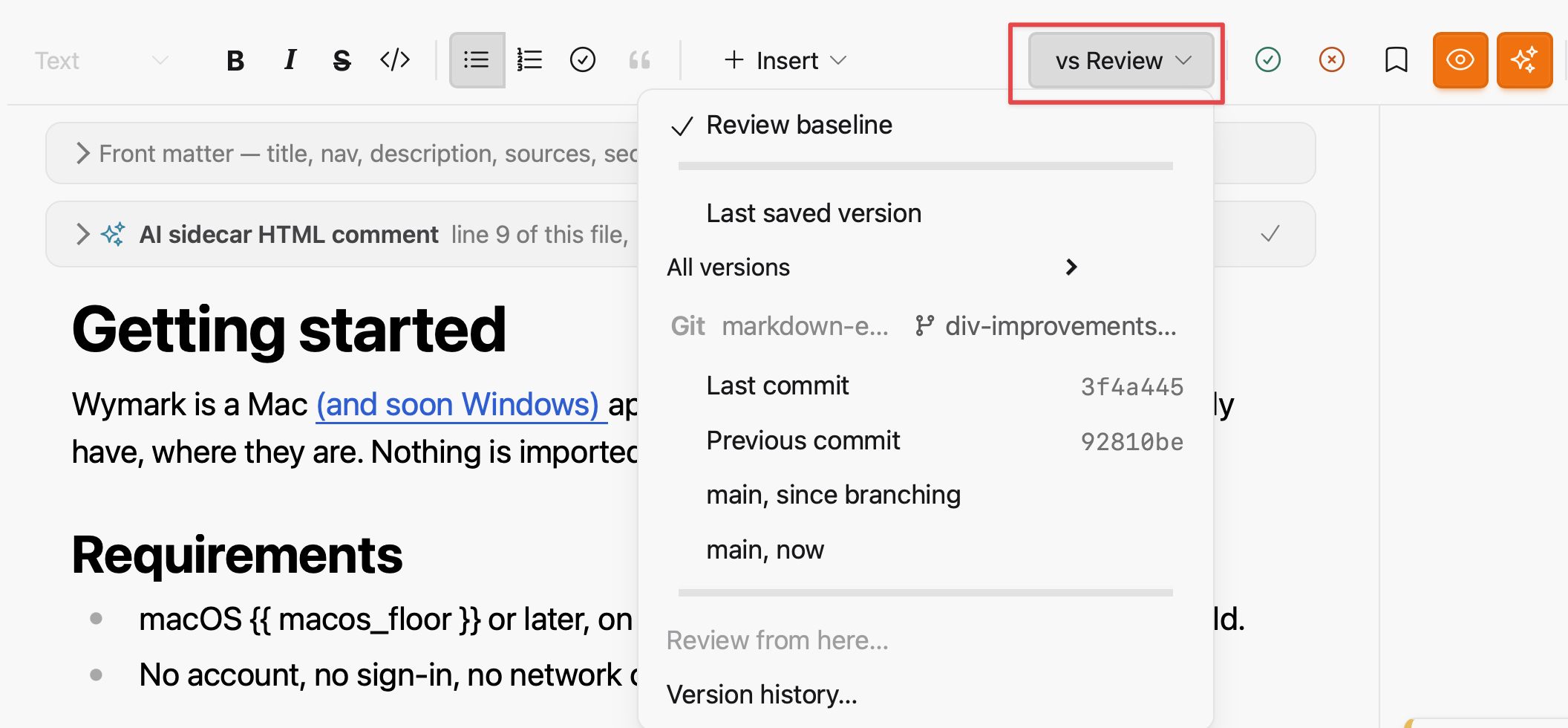
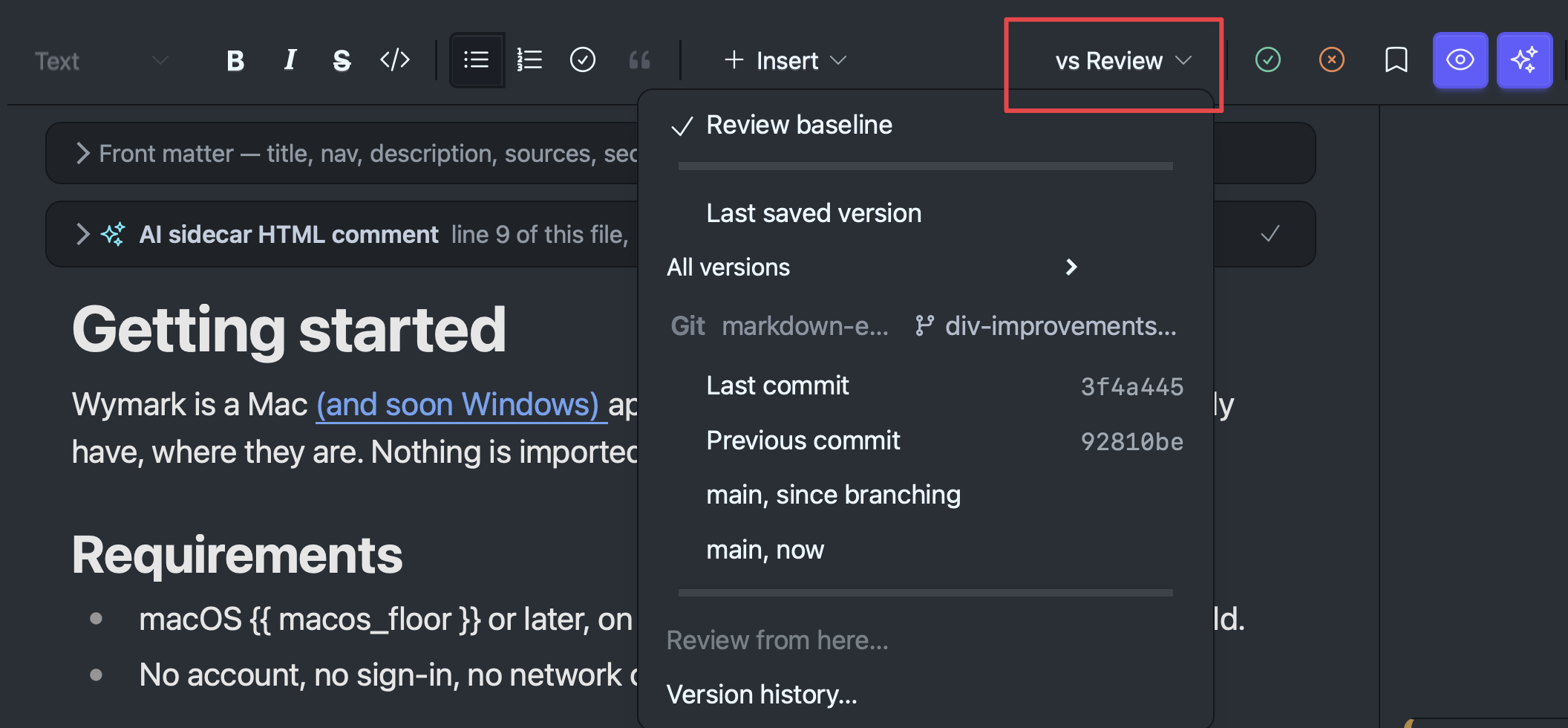
A folder at any depth inside a git repository also gets a Git section in the vs ... menu: compare the document with a commit or a branch. Wymark makes no commits and changes no branch. See Git & comparisons.
Saving
There is no Save. Every edit reaches the file as you type. ⌘S saves a version: a named checkpoint you can return to. See Review & versions.
Updates
Wymark checks for a newer version shortly after it starts and regularly while it is open, and asks before it downloads anything. What the check sends is on the Privacy page.
The current download is at wymark.app/download; older versions are at wymark.app/releases.
Help
| These pages | Help > Documentation |
| Shortcuts | Help > Keyboard Shortcuts (⇧⌘?), or the shortcuts reference |
| Questions | #help-and-questions on Discord. Threads are published on the web. |
| Bugs and requests | The issue tracker, or Help > Issues & Discussions on GitHub… |
| A diagnostic report | Help > Something Went Wrong… It is private and sent only when you send it. See Privacy. |
| Anything private | hello@wymark.app |
# Getting started

Wymark is a Mac (and soon Windows) app that edits the markdown files you already have, where they are. Nothing is imported, copied or converted.

## Requirements

- macOS 26 or later, on an Apple Silicon Mac. There is no Intel build.
- No account, no sign-in, no network connection.

## Install

Download the disk image from the [beta page](/beta). The app is signed and notarized.

Install Wymark to **Applications**. From the disk image or from Downloads it cannot update itself.

## First launch

Wymark opens an introduction document with a short tour over it. **Show the tour** in Settings > General replays it.

The introduction document lists the main features of Wymark and has a real comment thread in it. Reply to it and edit a paragraph to see a review. Do not keep work in it. An update that brings a new introduction replaces your copy.

## Open your files

| To | Do |
| --- | --- |
| Open a folder | **Open folder...** in the Files tab of the left panel. Earlier folders are under Recent folders. |
| Open one file | Double-click it in Finder, choose Open With > Wymark, or drop it on the window. |
| Start a new document | `⌘N`. It has no file until `⌘S` asks where to put it. |

- A folder gives you a file tree and search across it (`⇧⌘F`).
- A file dropped on the Files panel while a folder is open is copied into that folder.
- Wymark never makes itself the default app for markdown. The tour has a button for it, and so does Finder's Get Info > Change All...
- The first time you open a folder in Documents, Desktop or another protected place, macOS asks for access. Say yes once.

See [Files, tabs & windows](/docs/guide/workspace).

A folder at any depth inside a `git` repository also gets a Git section in the `vs ...` menu: compare the document with a commit or a branch. Wymark makes no commits and changes no branch. See [Git & comparisons](/docs/concepts/git).

<figure class="docs-shot">
  <img class="docs-shot-light" src="01-getting-started-assets/vs-menu-git-light.png" width="700"
       alt="The vs Review menu open from the ribbon. Under Review baseline, Last saved version and All versions is a Git section naming the repository and the branch, with Last commit, Previous commit, main since branching, and main now.">
  <img class="docs-shot-dark" src="01-getting-started-assets/vs-menu-git-dark.png" width="700"
       alt="The same in dark mode.">
</figure>

## Saving

There is no Save. Every edit reaches the file as you type. `⌘S` saves a **version**: a named checkpoint you can return to. See [Review & versions](/docs/concepts/review).

## Updates

Wymark checks for a newer version shortly after it starts and regularly while it is open, and asks before it downloads anything. What the check sends is on the [Privacy](/docs/reference/privacy) page.

The current download is at [wymark.app/download](/download); older versions are at [wymark.app/releases](/releases).

## Help

| | |
| --- | --- |
| **These pages** | Help > Documentation |
| **Shortcuts** | Help > Keyboard Shortcuts (`⇧⌘?`), or the [shortcuts reference](/docs/reference/keyboard-shortcuts) |
| **Questions** | `#help-and-questions` on [Discord](/discord). Threads are published on the web. |
| **Bugs and requests** | The [issue tracker](https://github.com/wymarkapp/wymark/issues), or Help > Issues & Discussions on GitHub... |
| **A diagnostic report** | Help > Something Went Wrong... It is private and sent only when you send it. See [Privacy](/docs/reference/privacy). |
| **Anything private** | [hello@wymark.app](mailto:hello@wymark.app) |